



























.svg)
.svg)
.svg)
Proxies for Instagram Bots:
Stop Getting Banned 2026
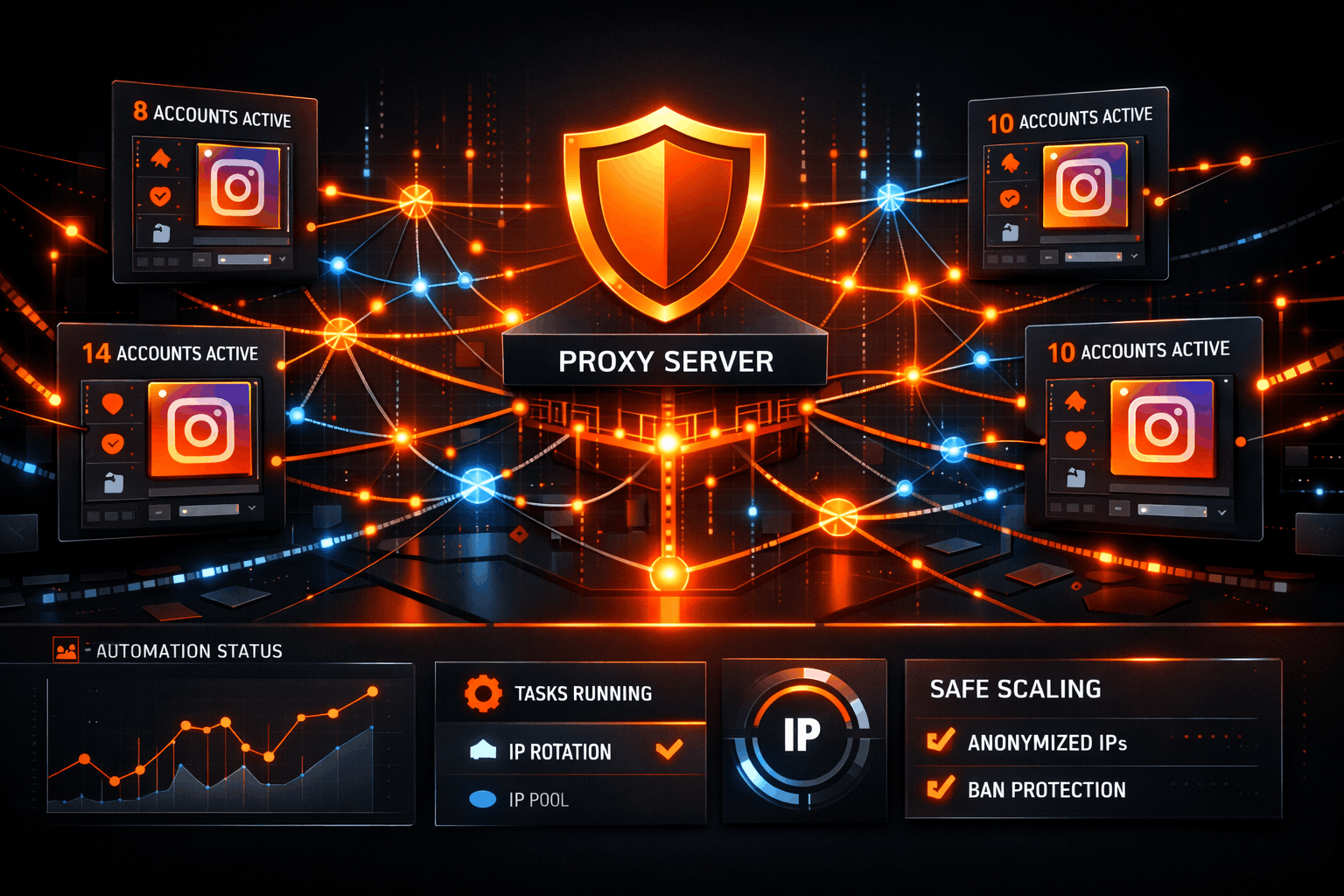
- The #1 reason Instagram bots fail isn't the bot itself. It's the IP layer. The wrong proxy type will get you banned before your bot completes its first session.
- Datacenter proxies don't work for Instagram. Instagram cross-references IP addresses against ASN databases, and commercial server IPs are flagged before your first request is even processed.
- Use residential proxies with sticky sessions for engagement actions (follows, DMs, comments). Use rotating residential for scraping. Use ISP proxies for long-term account management.
- The safe account-to-IP ratio is 1:1 for accounts you care about. More than 5 accounts per IP from even a clean pool significantly increases ban risk.
- Skipping the warm-up period is the second most common failure point. Both the account and the IP need 5 to 7 days of light activity before heavy automation begins.
- Proxies handle the IP layer only. Device fingerprint, user agent, and timezone must also match your proxy's geo for the full identity stack to hold.
You set everything up. The bot is configured, the accounts are ready, and you let it run. Then somewhere between 18 and 72 hours later, you wake up to action blocks, shadowbans, or full terminations. You change proxies, try again, and the same thing happens.
Here's the thing: most people running Instagram bot proxies are making the same three mistakes. They're using the wrong proxy type for the action they're automating, they're running too many accounts per IP, and they're skipping the warm-up phase entirely. This guide addresses all three, plus the configuration details that competitors simply don't cover.
Every fact in here reflects current observed behavior and cited industry research. No invented thresholds, no guesswork presented as data. Let's get into it.
What Instagram's Detection System Actually Looks At in 2026
Before you can choose the right proxy setup, you need to understand what Instagram is actually scanning for. Most guides skip this and jump straight to product recommendations. That's a mistake, because once you understand the detection layers, the proxy decisions become obvious.
Instagram's enforcement system is known to analyze multiple signals simultaneously, ranging from IP-level signals to behavioral patterns and device fingerprinting. While the exact internal architecture is proprietary, analysis from sources including Inssist and observed ban patterns across the automation community confirm a layered detection approach. The most critical signals for anyone running automation are below.
Why Most Instagram Bot Proxies Fail
You bought proxies. You still got banned. That's probably the situation that brought you here. There are five specific reasons this happens, and understanding them is what separates people who run stable Instagram operations from people stuck in a constant ban cycle.
Datacenter Proxies: The Wrong Tool Entirely
This is the most common mistake. Datacenter proxies originate from commercial server infrastructure such as AWS, DigitalOcean, Vultr, and Hetzner. These ASN ranges are well-documented and Instagram's detection systems apply elevated scrutiny to any request coming from them. It's not about the proxy provider. It's about where the IP physically originates.
For static content sites or search engines, datacenter proxies work fine. For a platform that has invested heavily in bot detection and where the cost of being wrong is an account lifetime, they simply don't hold up. This isn't opinion; it's the reason every serious Instagram automation operator eventually moves to residential or ISP proxies.
Shared Pool Contamination
Not all residential proxies are equal. When you use a shared residential pool, you're sharing IP addresses with everyone else on that provider's network. If another user on that pool was running aggressive bots yesterday, that IP carries the reputation hit. You inherit the ban history of strangers.
This is why the quality of the residential pool matters as much as the proxy type itself. Cleaner pools with lower IP reuse rates dramatically reduce this risk. TorchProxies Premium Residential specifically addresses this with higher IP quality standards than the standard tier.
Rotating When You Should Be Sticky
Here's where a lot of technically-savvy people still get it wrong. Rotating proxies assign a new IP on every connection or every request. That's great for scraping public data because you want distributed traffic. But Instagram is fundamentally session-based. When you browse a profile, read through a comment thread, or send a series of DMs, Instagram expects those actions to come from the same location throughout the session.
Switch IPs in the middle of an engagement action and you've just created a geographic discontinuity signal. The platform sees an account that was in New York 30 seconds ago and is now in Chicago. That's not how humans move, and Instagram knows it.
Geographic Mismatch
Your proxy geo should align with your account's target audience. An account that claims to be a US-based brand, targets US users, and has a US phone number verified... should not be connecting through a Southeast Asian residential IP. Instagram doesn't publish the exact logic, but inconsistency between declared geography and IP location is a confirmed detection signal.
No Warm-Up Period
A fresh residential IP has zero Instagram trust history. When you immediately attach a new IP to an aggressive automation setup, you're asking a brand-new IP with no established pattern of legitimate behavior on the platform to support high-volume bot actions from day one. The warm-up issue applies to both the account and the IP. Both need gradual introduction. We'll cover the exact protocol in Section 5.
Residential vs. ISP vs. Mobile Proxies for Instagram Bots: Which One Fits Your Setup
There's no single "best" proxy type for Instagram. The right choice depends entirely on what your bot is doing and how long those accounts need to survive. Here's the honest breakdown.
| Proxy Type | Best Use Case | Session Type | Detection Risk | Speed | Recommended For |
|---|---|---|---|---|---|
| Residential (Rotating) | Scraping profiles, hashtags, public data | Rotating per request | Low | Medium | Data collection, market research |
| Residential (Sticky) | Follows, likes, comments, DMs | Sticky 20-60 min | Very Low | Medium | Growth automation, engagement bots |
| ISP / Static Residential | Long-term account management | Permanent / Fixed | Very Low | High | Agency account management, aged accounts |
| Mobile Proxies | Human-like engagement, account creation | Rotating (carrier-native) | Extremely Low | Medium-High | High-trust scenarios, new account creation |
| Datacenter | Not recommended for Instagram | Any | Very High | High | Avoid for any Instagram automation |
Residential Proxies: Your Default Starting Point
Residential proxies use IP addresses assigned by consumer ISPs to actual households and devices. When Instagram's systems check the origin of a request from a residential IP, they see a connection that looks identical to any regular user's home internet. This is why residential proxies are the baseline for any Instagram bot operation.
The key configuration decision is rotating vs. sticky. For scraping public data (collecting profile information, pulling hashtag data, monitoring competitor content), rotating proxies are fine and often preferred because you want distributed traffic patterns. For any action that Instagram treats as part of a session (following, liking, DMs, commenting on a thread), sticky sessions are mandatory. More on configuration in the next section.
TorchProxies Standard Residential covers most scraping and rotating multi-account setups effectively. For campaigns where account health is critical, TorchProxies Premium Residential offers a cleaner pool with lower IP reuse, meaning less contamination from other users' activity.
ISP Proxies: When Account Longevity Is the Priority
ISP proxies (also called static residential proxies) combine the best of both worlds: they're assigned by real ISPs, so they appear as legitimate household connections, but they're static. The same IP persists indefinitely. This is critical for account management scenarios where Instagram's trust system builds history around a specific IP address over time.
If you're managing aged accounts for clients, running brand accounts that took months to grow, or operating any account where a ban represents a significant business loss, ISP proxies are the right call. You're essentially giving each account a permanent home address that Instagram learns to trust. TorchProxies ISP Proxies are the strongest option in their lineup for this use case, combining datacenter-level speed with full ISP-registered IP legitimacy.
Mobile Proxies: Closest to Human
Mobile proxies use IP addresses provided by mobile carriers. Instagram is primarily a mobile app. The vast majority of its real user base connects from carrier networks. Mobile proxies mimic exactly that pattern. They are among the hardest connection types for Instagram to flag because they look identical to the traffic from its core user base.
The tradeoff is cost. Mobile proxies are the most expensive proxy type per GB, and for high-volume scraping they're often overkill. Where they shine is for account creation, high-trust engagement scenarios, and any situation where you need the absolute highest chance of a new account surviving its first week without incident.
The Proxy-Per-Account Ratio Nobody Talks About
This is the section most Instagram automation guides completely skip. Everyone says "use residential proxies." Nobody explains how many accounts you can run on one proxy before the setup becomes a liability.
Instagram's detection systems flag multiple accounts operating from the same IP address, particularly when those accounts take bulk actions within similar timeframes. Industry analysis and observed ban patterns consistently show that running 10 or more profiles on shared IPs without rotation creates significant clustering risk in high-volume scenarios.
Action Velocity: What the Actual Limits Look Like
Instagram doesn't publish exact rate limits, but there are well-documented thresholds based on observed ban patterns. These should be treated as maximums, not targets.
| Action Type | Safe Daily Limit | Known Trigger Threshold | Notes |
|---|---|---|---|
| Follows | 100–150/day | 20–30+/hour (new accounts: 10–20/hour) | New accounts are held to stricter limits. Even mature accounts risk action blocks above 20–30 follows per hour. Older estimates citing 50/hour appear to reflect pre-2024 thresholds. |
| Unfollows | 100–150/day | 60+/hour | Mass unfollow operations are flagged as heavily as mass follows |
| Likes | 200–300/day | 300+/day or 60+/hour | Liking at machine-consistent intervals (every 3 seconds exactly) is independently flagged |
| Comments | 30–60/day | Identical comment text across multiple posts | Content similarity across comments triggers spam detection faster than volume alone |
| DMs | 30–50/day (new accounts) | Outreach DMs to cold contacts | New accounts attempting DM automation immediately are high-risk regardless of proxy quality |
How to Configure Proxies for Your Instagram Bot
Most guides end at "get residential proxies." This section covers the actual configuration decisions: session types, rotation strategy by bot type, and the fingerprint layer that proxies alone don't solve.
Proxy Connection Format
TorchProxies residential and ISP proxies use the standard username-password authentication format. Your connection string looks like this:
Standard rotating session: nsstandard.x.proxiess.com:9000:UserName:Password
Sticky session format: nsstandard.x.proxiess.com:9000:UserName-sessionID_sticky:Password
The session ID in the sticky format is what anchors your connection to a consistent IP for the duration you configure. Set your sticky session duration to cover the full action window for your bot, with at least 10 minutes of buffer on either side.
Rotation Strategy by Bot Type
The Fingerprint Layer: What Proxies Don't Cover
This is where a lot of setups fall apart even with good proxies. A proxy changes your IP address. It does not change your device's canvas fingerprint, WebGL signature, screen resolution, installed fonts, or timezone. If your proxy shows a New York residential IP but your device's timezone is set to UTC+5 and your canvas renders with a non-American font stack, the mismatch is detectable.
For serious multi-account operations, an antidetect browser (Multilogin, GoLogin, AdsPower, or similar) handles the identity layer above the proxy layer. Each profile in the antidetect browser gets its own fingerprint that matches the proxy geo. The proxy solves the network-level identity. The antidetect browser solves the device-level identity. Both need to be consistent.
The Account Warm-Up Protocol That Prevents Bans Before They Start
Instagram maintains trust scores for both accounts and IP addresses. A new account on a new IP, immediately running aggressive automation, is the single fastest path to a permanent ban. The warm-up protocol applies to both the account and the IP you assign to it.
This is not theoretical, and the observed pattern is clear. Proxidize's research on Instagram action blocks identifies sudden spikes in activity as one of the most common ban triggers, noting that Instagram expects consistent activity patterns and treats any sharp jump in velocity as suspicious regardless of the action type. Both the account and the IP need to build a track record of normal behavior before automation volume increases.
7 Proxy Mistakes Getting Instagram Bot Accounts Banned Right Now
These are the specific patterns that show up most consistently when people ask why their Instagram bot setup keeps failing even after switching to residential proxies.
Choosing the Right TorchProxies Plan for Your Instagram Bot Setup
The right proxy plan depends on your specific operation. Here's how the TorchProxies lineup maps to the use cases covered in this guide.
| Use Case | Recommended Plan | Why It Fits |
|---|---|---|
| Scraping public profiles, hashtags, content data | Standard Residential | Large pool, cost-effective per GB, rotating support. The right balance for distributed data collection where individual IP quality matters less than pool size. |
| Multi-account growth automation, follower and like bots | Premium Residential | Cleaner IP pool with lower reuse rates. Less contamination risk from other users' activity. For campaigns where account health directly impacts business outcomes. |
| High-volume unlimited bandwidth operations | Plan X Residential | Unlimited bandwidth removes the per-GB cost concern for large-scale operations. The right choice when bandwidth consumption is unpredictable or consistently high. |
| Long-term account management, agency client accounts | ISP Proxies | Static IP, ISP-registered, datacenter-level speed. One IP per account, permanently. Instagram's trust system builds history around a stable IP over time. This is the strongest configuration for accounts you can't afford to lose. |
The Bottom Line on Proxies for Instagram Bots
The proxy layer is where most Instagram bot setups fail. Not because proxies don't work. They do, when you choose the right type and configure them correctly. The failure comes from using the wrong proxy type, running too many accounts per IP, skipping the warm-up period, and assuming that a single layer fix will solve a multi-layer problem.
To recap what actually works for Instagram bot proxy setup in 2026: residential proxies with sticky sessions for engagement actions, ISP proxies for long-term account management, a 1:1 IP-to-account ratio for anything you care about keeping, and a proper warm-up protocol for both the account and the IP before pushing any volume.