



























.svg)
.svg)
.svg)
Instagram Proxy Setup in 2026:
How Meta's Detection Works and Why ISP Beats Residential
A technical breakdown of Meta's 6-layer detection system, step-by-step ISP static proxy configuration, and the account warming protocol that actually works.
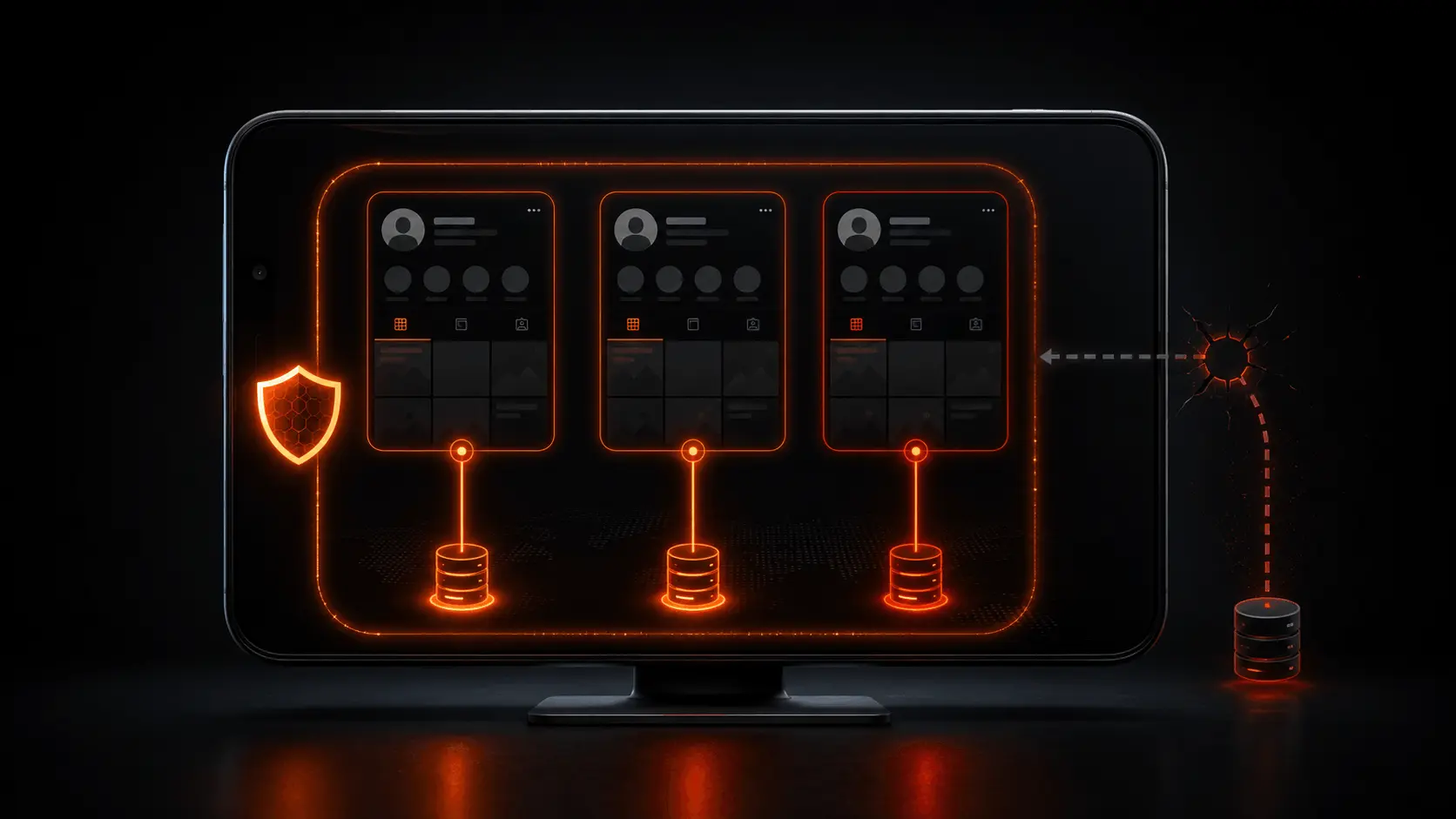
- Rotating residential proxies fail for Instagram account management because of session coherence checking: every IP rotation registers as a new login location, which Instagram scores as a potential account takeover signal.
- Meta's detection runs 6 independent layers, not just IP reputation. Passing one does not guarantee passing the others. ISP static solves layers 1 through 4 by design.
- For scraping public Instagram data without logging in, rotating residential proxies work fine. The session coherence problem only applies to authenticated account sessions.
- Setup is straightforward: assign one ISP IP to each account in your proxy dashboard, verify the ASN before first login, configure in your antidetect browser or Instagrapi, then run a one-week manual warming period before enabling automation.
- Account warming is not optional. Even a perfect proxy setup cannot compensate for a new account that jumps straight into high-volume automation. The behavioral layer of Meta's detection runs independently of IP quality.
Why Instagram Is the Hardest Proxy Target
Most proxy guides treat Instagram as a harder version of a regular web scraping target. That framing misses the point. Instagram is not a harder scraping target. It is a fundamentally different kind of detection problem, and the mismatch between what people expect and how Meta's systems actually work is the reason so many well-configured proxy setups still fail.
The difference comes down to what Instagram is scoring. Standard anti-scraping systems score requests: is this request coming from a known bad IP? Is the request rate too high? Is the User-Agent header plausible? Instagram also scores accounts and relationships between sessions over time. A clean IP on request one means nothing if the same account appeared from a different IP 48 hours ago.
Meta's behavioral dataset is also in a different category from most platform operators. Instagram, Facebook, and WhatsApp collectively generate one of the largest logged datasets of human social behavior in the world. The behavioral baseline against which your automation is measured is not a rough statistical approximation. It is trained on billions of authentic human sessions. That makes the behavioral detection layer genuinely difficult to fool, in a way that standard proxy hygiene does not address.
Understanding session coherence is the single most important concept in Instagram proxy configuration. Almost every other mistake in proxy setup for Instagram traces back to this: people pick a proxy type appropriate for stateless web scraping and apply it to a stateful account management task.
How Meta Detects Proxies: The 6-Layer System
Instagram does not publish its detection architecture. What follows is based on documented proxy behavior patterns, anti-detection research, and industry observations. The exact weights and thresholds in Meta's systems are not publicly known. This breakdown covers the layers that are well-evidenced from consistent behavioral patterns across the proxy research community.
Layer 1: IP Reputation Scoring
Instagram cross-references incoming IP addresses against known proxy registries, abuse databases, and Meta's own internally maintained list of IPs associated with prior violations. An IP that has been used for previous Instagram ToS violations carries a negative reputation score regardless of its ASN classification. This is why pulling IPs from oversold or poorly managed residential pools creates problems even if the ASN passes: the specific IPs have already been flagged.
TorchProxies ISP Social pool IPs are dedicated to a single account at a time. They do not cycle through other users' accounts, which prevents the cross-account reputation contamination that affects shared residential pools.
Layer 2: ASN Classification
Every IP address is registered with an Autonomous System Number that identifies the network operator. Instagram classifies ASNs by type and assigns baseline trust levels accordingly. The hierarchy from highest to lowest trust is: mobile carrier ASNs (AT&T Mobility, Verizon Wireless, T-Mobile, EE, O2, Deutsche Telekom Mobile), consumer ISP ASNs (Comcast, BT, Virgin Media, Vodafone, KPN, Telkom), and cloud/datacenter ASNs (Amazon, Google Cloud, Microsoft Azure, DigitalOcean, Hetzner).
Datacenter ASNs fail this check immediately. The IP address does not need to appear on any blocklist. The ASN being classified as a cloud provider is itself the signal. This is why standard datacenter proxies do not work for Instagram regardless of provider quality.
ISP static proxies are physically hosted in datacenters but are registered with consumer ISP ASNs. That registration is what passes this check. The physical hosting location is irrelevant. The ASN classification is what Instagram evaluates.
Layer 3: Session Coherence Checking
This is the layer most proxy setups fail. Instagram records the IP address for each authenticated session. When the next request in that session arrives from a different IP, the platform scores it as a suspicious login location change. The score increase is not a binary ban trigger. It accumulates. An account that shows a new login location on three consecutive sessions in a week has accumulated enough signal that its action limits will begin tightening.
The mechanism is designed to catch account takeovers, where an attacker accesses a victim's session from a different network. Rotating residential proxies produce exactly the same IP-change pattern as an account takeover. Instagram cannot distinguish between the two based on IP behavior alone, so it treats them the same way.
ISP static proxies have a fixed IP that never changes. The same IP appears on every session for that account. Session coherence is satisfied by design, not by configuration.
Layer 4: Account Velocity Detection
Instagram tracks account creation and login activity at the subnet level, not just the individual IP. If five accounts are logging in from the same /24 subnet (meaning the first three octets of the IP address are identical: for example, 72.21.198.x), the platform scores this as coordinated account activity even if each individual IP passes reputation and ASN checks.
This is why simply getting five ISP static IPs is not sufficient if those five IPs all fall in the same /24 block. TorchProxies ISP Social pool assigns IPs across diverse /24 subnets for multi-account setups. If you are sourcing ISP proxies from another provider, verify the subnet distribution before assigning them to multiple accounts.
Layer 5: Device Fingerprint Signals
Meta's infrastructure collects device fingerprint data through its shared pixel and SDK layer that runs across Instagram, Facebook, and WhatsApp. The fingerprint includes canvas hash, WebGL renderer identifier, font enumeration results, navigator.userAgent, screen dimensions, timezone, and installed plugin signatures. This fingerprint is associated with account sessions and cross-referenced across Meta's family of apps.
A device fingerprint inconsistency, specifically, an established account appearing from a device fingerprint the account has never used before, is a risk signal that operates independently of IP quality. This is why a clean ISP static proxy is necessary but not sufficient for multi-account management. Each account needs its own isolated browser fingerprint. This is what antidetect browsers provide.
Layer 6: Behavioral ML Scoring
Instagram's behavioral scoring layer analyzes real-time action patterns: scroll speed and rhythm, tap timing intervals, content consumption diversity (what types of content are viewed, liked, and saved), session duration and time-of-day patterns, follow and unfollow sequences, and engagement consistency over time. Meta's training dataset for this layer is derived from billions of authentic human sessions across its platforms.
Automation tools that perform actions at mechanically consistent intervals, follow large numbers of accounts in rapid sequence, or engage with content in patterns that do not match the account's historical behavior will accumulate behavioral risk score increases regardless of proxy quality. The behavioral layer is addressed through account warming and rate limiting within platform thresholds, not through proxy configuration.
For a broader technical analysis of behavioral bot detection systems across platforms, see our guide on social media proxy selection and account safety in 2026.
Proxy Type Comparison: Instagram Account Management
The table below covers the five proxy types relevant to Instagram operations. The columns reflect the detection layers described above. A proxy that fails any one of these dimensions will produce detection events, regardless of how well it performs on the others.
| Proxy Type | ASN Trust Level | Session Coherence | Subnet Isolation | Instagram Account Management | Public Scraping |
|---|---|---|---|---|---|
| ISP Static | Consumer ISP | Fixed (never rotates) | Configurable /24 diversity | Pass | Overkill (works) |
| Rotating Residential | Consumer Home ISP | Fails (rotates each request) | Medium risk | Fail for account sessions | Pass |
| Sticky Residential | Consumer Home ISP | Fixed until window expires | Medium risk | Risky (expiry risk) | Pass |
| Mobile (4G/5G) | Mobile Carrier (highest) | CGNAT shared, passes check | Low risk | Pass (premium cost) | Pass |
| Datacenter | Cloud/DC ASN (blocked) | N/A | N/A | Fail (ASN blocked) | Fail for Instagram |
Why Rotating Residential Fails for Account Management
The failure mode is specific and worth walking through mechanically, because the surface behavior (the proxy works, requests go through, no immediate errors) masks the underlying detection accumulation until the account is already significantly degraded.
What Happens Step by Step
Why Sticky Residential Does Not Fully Solve This
Sticky residential sessions address the per-request rotation problem by holding the same IP for a defined window (30 minutes, 1 hour, or up to 24 hours depending on the provider). For short sessions, sticky residential can satisfy session coherence requirements. The problem is the expiry event.
When a sticky session window expires while an Instagram session is still active, the next request rotates to a new IP. That rotation event produces the same session coherence failure as an immediate rotation. If the sticky window expires at an inconvenient time (mid-session, during overnight automation), the account accumulates a coherence failure regardless of how long the previous session held steady.
ISP static proxies avoid this entirely because there is no expiry window. The IP is fixed permanently. The session coherence requirement is satisfied regardless of session length or timing.
ISP Social Pool: What It Is and Why It Works
An ISP static proxy is a dedicated IP address registered with a real consumer ISP, not a cloud hosting provider. The IP is hosted on datacenter hardware for performance and reliability, but the ASN registration points to a consumer ISP (Comcast, AT&T, BT, Deutsche Telekom, and similar). From Instagram's perspective, this IP looks identical to a regular home broadband connection.
The TorchProxies ISP Social pool is a set of ISP static proxies specifically selected and tested for Instagram, Facebook, and TikTok account management. The pool covers US, UK, and German IPs, which correspond to three of the largest and most commercially active Instagram markets. IPs in the pool are assigned exclusively to one account at a time and are sourced from major consumer ISP ASNs in each country.
(browser / bot / script)
Consumer ISP ASN
ASN check passes
Session coherence satisfied
Changes each request
Session coherence fail
Progressive restriction
Pricing is $2.3/IP for ISP Static proxies. Each IP is dedicated to your account assignment and does not rotate. There are no bandwidth limits on ISP static proxies. The practical configuration is to assign one IP in the dashboard to each Instagram account you manage, label it with that account's username, and leave the assignment in place permanently.
TorchProxies also offers SOCKS5 and HTTPS authentication on ISP static proxies, with both username/password and IP whitelist authentication modes. For automation tools that require a fixed authentication method, both options are supported without extra configuration.
Step-by-Step Instagram Proxy Setup
The configuration process below covers three tool types: direct IP verification with Python, antidetect browser setup (covering both Multilogin and AdsPower as the two most widely used options), and automation library setup with Instagrapi. Each of these is a separate layer of the full stack. A complete account management setup typically uses an antidetect browser or Instagrapi plus the IP verification step before the first login.
import requests

proxies = {
    "http":  "http://USER:PASS@HOST:PORT",
    "https": "http://USER:PASS@HOST:PORT"
}

r = requests.get("https://ipinfo.io/json", proxies=proxies, timeout=10)
data = r.json()

print(f"IP:  {data['ip']}")
print(f"Org: {data['org']}")   # Should show a consumer ISP, not a cloud provider
print(f"Loc: {data['city']}, {data['country']}")

# Good output:  Org: AS7922 Comcast Cable Communications
# Bad output: Org: AS14618 Amazon.com (this will fail Instagram's ASN check)set_proxy() method before calling login(). Set the locale and timezone offset to match the proxy's location before logging in.from instagrapi import Client
cl = Client()
# Set proxy before login (ISP static: HTTP or SOCKS5)
cl.set_proxy("http://USER:PASS@HOST:PORT")
# Match locale and timezone to the proxy's geo location
# US East (UTC-5): timezone_offset = -18000
# UK (UTC+0/+1): timezone_offset = 0 or 3600
# Germany (UTC+1/+2): timezone_offset = 3600 or 7200
cl.set_locale(locale="en_US")
cl.set_timezone_offset(-18000) # UTC-5 for US Eastern
# Login
cl.login("your_username", "your_password")
# Example: fetch user info to verify login
user = cl.user_info_by_username("torchproxies")
print(user.full_name)Account Warming Protocol
Account warming is the process of establishing a behavioral baseline before running automation. Instagram's behavioral detection layer compares current actions against historical patterns for that account. A new account or a freshly configured account with no behavioral history has no established baseline to compare against, which makes behavioral anomalies more detectable.
| Week | Proxy | Recommended Actions | Volume Guidelines | What to Avoid |
|---|---|---|---|---|
| Week 1 | ISP Static (same IP, no changes) | Manual or semi-manual browsing, story views, exploring feed content. No automation scripts running. | 10 to 20 follows, 15 to 25 profile views per session. 1 to 2 sessions per day. | Automation scripts, posting scripts, DM campaigns, bulk follow sequences. |
| Week 2 | ISP Static (same IP) | Light engagement: likes, saves, story replies, 1 to 2 posts. Semi-automated engagement tools can start at minimum rate. | 20 to 40 follows, 30 to 50 likes per session. 2 sessions per day. | Bulk follow/unfollow, DM blasts, comment automation at volume. |
| Week 3 | ISP Static (same IP) | Regular posting cadence (3 to 4 posts), follow/unfollow automation at low rates. Genuine engagement patterns. | 40 to 60 follows per day, 40 to 60 likes per day. Keep action intervals varied. | Following more than 80 accounts per day. Unfollow ratios that match exact follow counts (obvious bot pattern). |
| Week 4+ | ISP Static (same IP) | Full automation within platform-safe thresholds. DM campaigns can begin at low initial volume. | Stay within platform action limits. Avoid sudden velocity spikes above established baseline. | Immediate high-volume spikes. Changing action patterns abruptly. Switching IP assignment. |
Multi-Account IP Assignment Rules
Running multiple Instagram accounts through proxies introduces a second set of detection concerns beyond per-account session management. The subnet-level velocity detection described in Layer 4 means that even a set of clean, individually valid ISP static IPs can trigger detection if they are poorly distributed across IP ranges.
Rule 1: One IP Per Account
This is non-negotiable for account management. Instagram explicitly flags multiple active authenticated sessions from the same IP address as a shared-account or automation signal. Running two accounts through the same ISP static IP will eventually produce detection events even if the individual actions per account are within normal limits.
Rule 2: Subnet Diversity for Multiple Accounts
The /24 subnet of an IP address is the first three octets: for IP 72.21.198.44, the /24 subnet is 72.21.198.x. Instagram tracks account velocity at the /24 level. If five accounts log in from five different IPs in the range 72.21.198.1 through 72.21.198.254, the platform sees five accounts from the same /24 subnet, which can trigger network-level action even though each individual IP is clean.
For setups of five or more accounts, request IPs from the TorchProxies dashboard that span multiple /24 subnets. The ISP Social pool is configured to support this, but it requires explicitly selecting diverse IP ranges rather than accepting whatever IPs are assigned by default.
Rule 3: Never Swap IPs Between Accounts
If Account A has been running on IP 72.21.198.44 for three months, do not reassign that IP to Account B. The IP has three months of session history associated with Account A. When Account B appears from that IP, Instagram's session history system sees Account B logging in from what it has stored as Account A's consistent address. This is an unusual signal regardless of whether both accounts are yours.
Rule 4: Retire Flagged IPs
If an account gets permanently disabled, retire the IP that was assigned to it. The IP's reputation is now associated with a disabled account in Meta's system. Using it for a new account creates an elevated baseline risk. Request a fresh IP for new account assignments.
For a broader overview of multi-account proxy strategy across all major social platforms, see the complete social media proxy guide, which covers LinkedIn, TikTok, Facebook, Twitter/X, Pinterest, and Reddit alongside Instagram in a single comparison framework.
When You Don't Need ISP Static
ISP static proxies are the right choice for Instagram account management. They are not the right choice for every Instagram-related use case. Over-engineering the proxy stack for lower-risk tasks increases cost without adding meaningful protection.
- Scraping public Instagram posts, hashtags, or profiles without logging in. Public data collection through unauthenticated requests does not trigger session coherence checking because there is no active session to cohere. Rotating residential proxies at $4/GB are appropriate for this use case and significantly more cost-effective when you are making thousands of requests across many IP addresses.
- One-time geo-access for regional content verification. If you need to check what Instagram content looks like from a US or UK IP for a single verification task, rotating residential or Premium Residential proxies handle this without the per-IP cost of ISP static assignment.
- Academic or market research scraping of public data. Bulk collection of public hashtag data, follower counts, or public post metadata does not require account authentication. Standard residential proxies at $4/GB or Premium Residential at $4.5/GB cover this use case well.
- Platform testing in non-production environments. If you are testing proxy connectivity, latency, or geo-targeting for a use case that does not involve account sessions, you do not need a dedicated ISP IP for the test.
The decision criterion is simple: if the Instagram operation requires an authenticated account session, use ISP static, one per account. If the operation is stateless public data collection with no account login, rotating residential proxies are the cost-effective choice.
TorchProxies: Which Product for Which Use Case
| Use Case | Recommended Product | Price | Why |
|---|---|---|---|
| Instagram account management (posting, follows, DMs) | ISP Static Proxies (Social Pool US/UK/DE) | $2.3/IP | Fixed consumer ISP IP. Session coherence satisfied by design. One IP per account, never rotates. |
| Public Instagram scraping (hashtags, posts, profiles) | Premium Residential | $4.5/GB | Rotating IPs for unauthenticated public requests. High success rate on Instagram's CDN layer. No session coherence requirement. |
| Mixed operations (account management + data collection) | Plan X Hybrid | $5/GB | 120M+ IP pool combining ISP, mobile, and residential sources. Single endpoint for workflows that need both session-stable account traffic and rotating scraping traffic. |
| Pinterest or Reddit automation | Standard Residential | $4/GB | Both platforms are significantly less aggressive than Instagram on session coherence and ASN classification. Rotating residential is sufficient and cost-effective. |
Summary
Frequently Asked Questions
ipinfo.io before first login, confirming the org field shows a consumer ISP, not a cloud provider. (3) Configure in your antidetect browser profile (Multilogin or AdsPower) or in Instagrapi using cl.set_proxy("http://user:pass@host:port"). (4) Match the browser locale and timezone to the proxy's geographic location. (5) Run a one-week manual warming period before enabling automation scripts. (6) Never reassign that IP to a different account.